
SQUARESPACE 7.1 TEMPLATE FOR SOCIAL MEDIA & CONTENT STUDIOS
The Content Dept.
For brands with something to say.
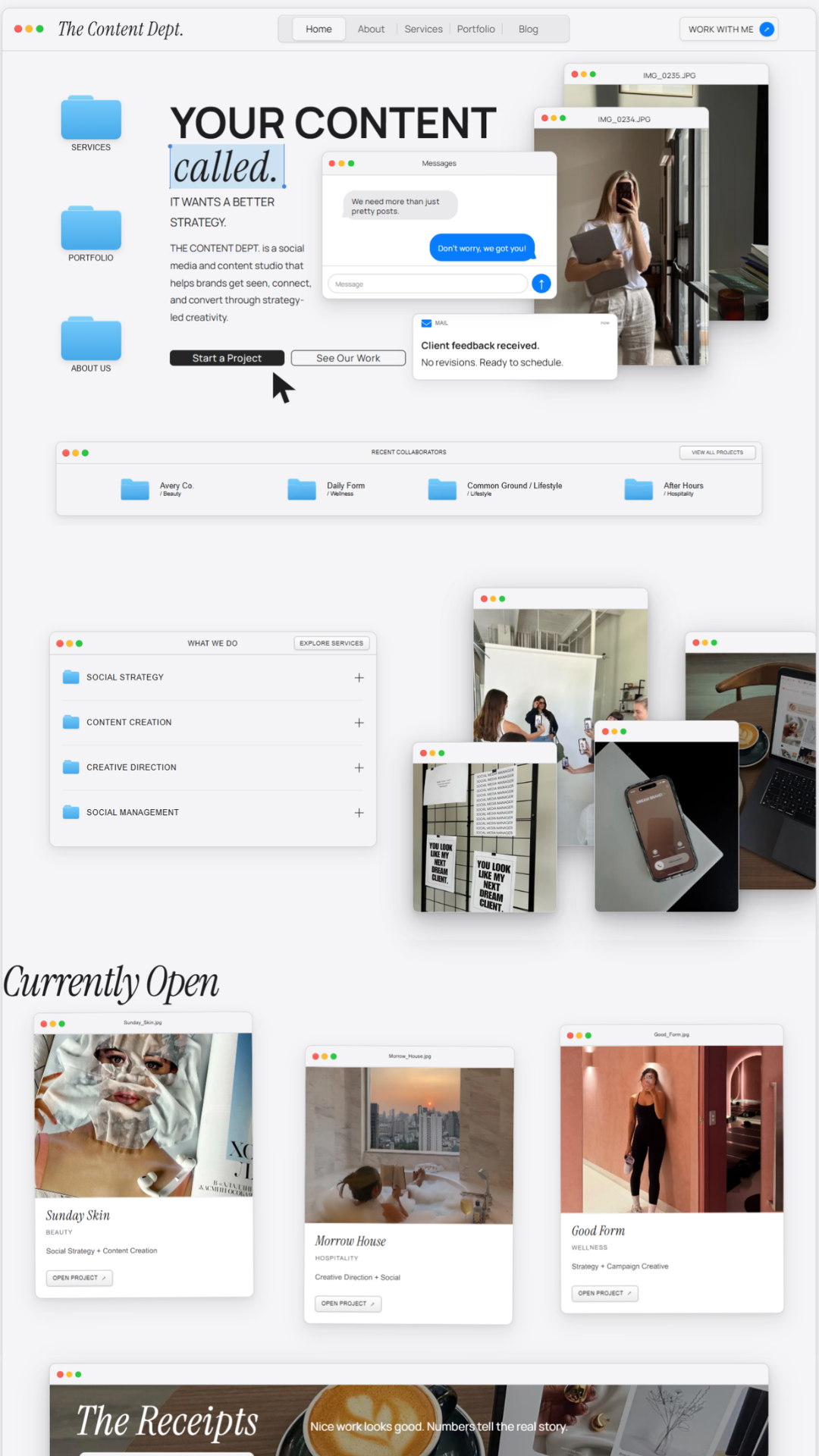
An interactive website for social media managers, content creators, and marketing studios. Desktop-inspired layouts, playful details, and mobile-inspired moments give your services and portfolio a personality all their own.
THE DETAILS
Thoughtfully built.
Ready to make yours.
The design is in place. The next part is personal.
Explore what comes with THE CONTENT DEPT., what you can change, and what you’ll need to bring your website online.
-
Your complete Squarespace 7.1 template, custom effects already installed, a written editing handbook, and template support.
You’ll also receive a six-month website trial and 20% off the first payment of a new annual Squarespace website plan.
-
Home
About
Services
Portfolio
Case Study
Blog
Individual Blog Post
Contact
Free Download
Link in Bio
404
Privacy Policy
Terms and Conditions -
Update your text, images, fonts, colors, services, projects, forms, and navigation. Your handbook walks you through the template’s custom sections.
Delivered as a new, separate website. Requires a separately purchased Squarespace Core plan or above and domain. Cannot be installed onto an existing site.
SIGNATURE FEATURES
The details that make it The Content Dept.
Message bubbles, browser windows, and familiar digital details turn your content into an experience worth exploring.
- Browser-Window Layouts
- Message Bubbles & Notifications
- Folder & File Details
- Interactive Services Overview
- Reusable Case Study Layouts
- Notes-Inspired Blog
- Live Blog Category Filtering
- Message-Inspired Contact Form
- Client Results & Testimonials
- Lead Magnet & Email Signup Layouts
- Mobile-Friendly Link in Bio
- Coordinated Global Color System
- Five Ready-to-Use Color Palettes
- Custom Brand Palette Generator
A CLOSER LOOK
Good design, from the first impression to the final detail.
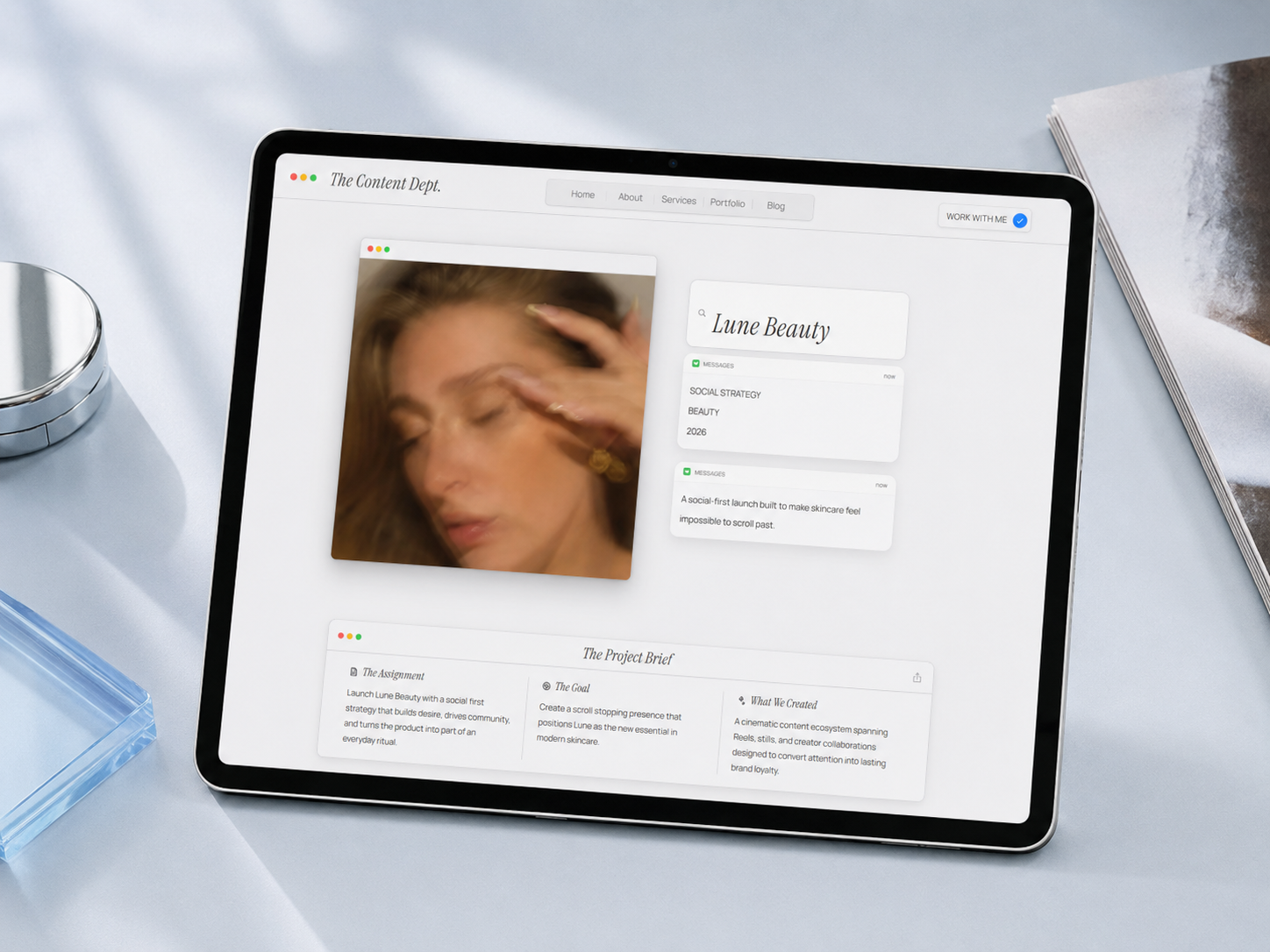
Explore the pages that bring your content, services, and client results together.


SCROLL TO EXPLORE ↓ SWIPE TO EXPLORE →︎
HOW IT WORKS
From first click to fresh start.
-
01 / Make it official
Purchase your template and download your getting-started PDF right away. Inside, you’ll find your handbook link and instructions for receiving your website.
-
02 / You’re invited
Once payment and your required information are received, your separate Squarespace website invitation will arrive within 48 hours. Accept it to access your new site.
-
03 / Make it yours
Add your copy, images, and business details. Follow the handbook, and ask when something doesn’t click.
-
04 / Bring it online
Activate a separately purchased Squarespace Core plan or above, connect your domain, and launch when you’re ready.
Your template arrives as a new, separate website. It can’t be installed onto or merged with an existing site.
More about how it works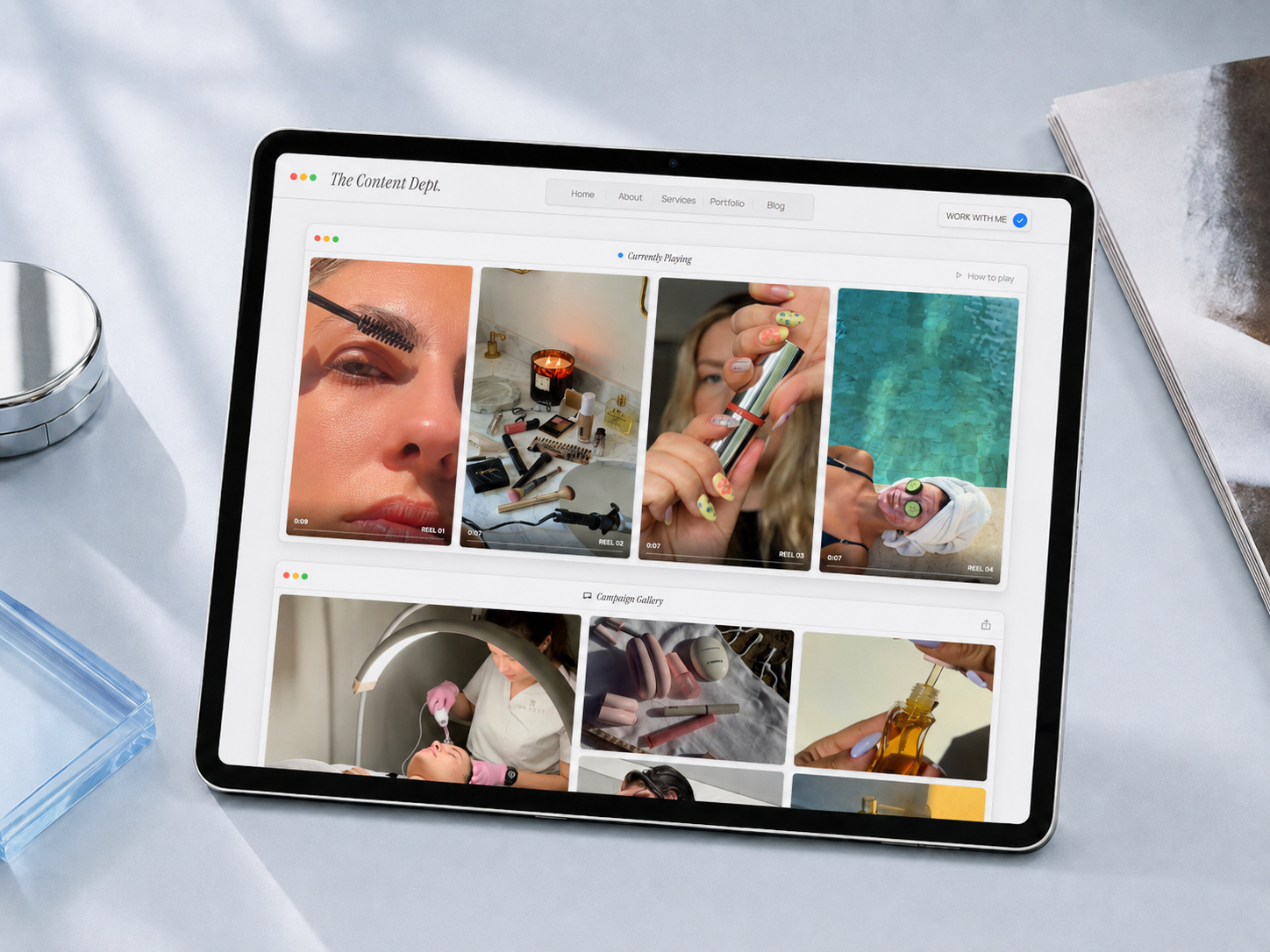
A few things you might be wondering…
-
You can manage The Content Dept in your existing Squarespace account, but it arrives as a new, separate website. It can’t be installed onto or merged with your current site. You’ll add your content manually, then connect your domain when you’re ready. Your existing website subscription does not automatically transfer.
-
Your template is a one-time purchase. To launch, you’ll need a separately purchased Squarespace Core plan or above and a domain. Optional third-party services may have their own fees.
-
You won’t need to write code from scratch. Most edits happen in Squarespace’s visual editor, while changing the color palette requires one guided copy-and-paste code update. The detailed handbook walks you through it.
-
Yes! Duplicate the included Case Study page for each project, add your content, and link it from your Portfolio. Your handbook walks you through the process.
-
Yes. You can keep the included images or replace them with your own. They include stock photography and AI-generated imagery; stock images remain subject to their original license terms. Images are included within the website, not as separate downloads.
-
Your handbook is the starting point, and quick-question support for editing the original template has no expiration date. One hands-on template fix is also included within your first 30 days after delivery if we can’t resolve an original template issue through messages. Custom design, new features, content migration, and third-party troubleshooting aren’t included.
-
Yes! Keep the original colors, choose from five premade palettes, or use the included palette generator to create one with your brand colors. Your handbook explains exactly where to paste the updated color code.
-
Please explore the demo and review the requirements before purchasing. Because this is a digital template, all sales are final, except where required by applicable law.
Your work deserves a home like this.
Make THE CONTENT DEPT. your own—with the design already built and guidance along the way.